
When the Voyage module is activated there is modified user interface and behaviour in the leave creation, leave editing and leave notifications procedures. In addition, the Transport Hub dashboard can be used to review all Voyage transport details.
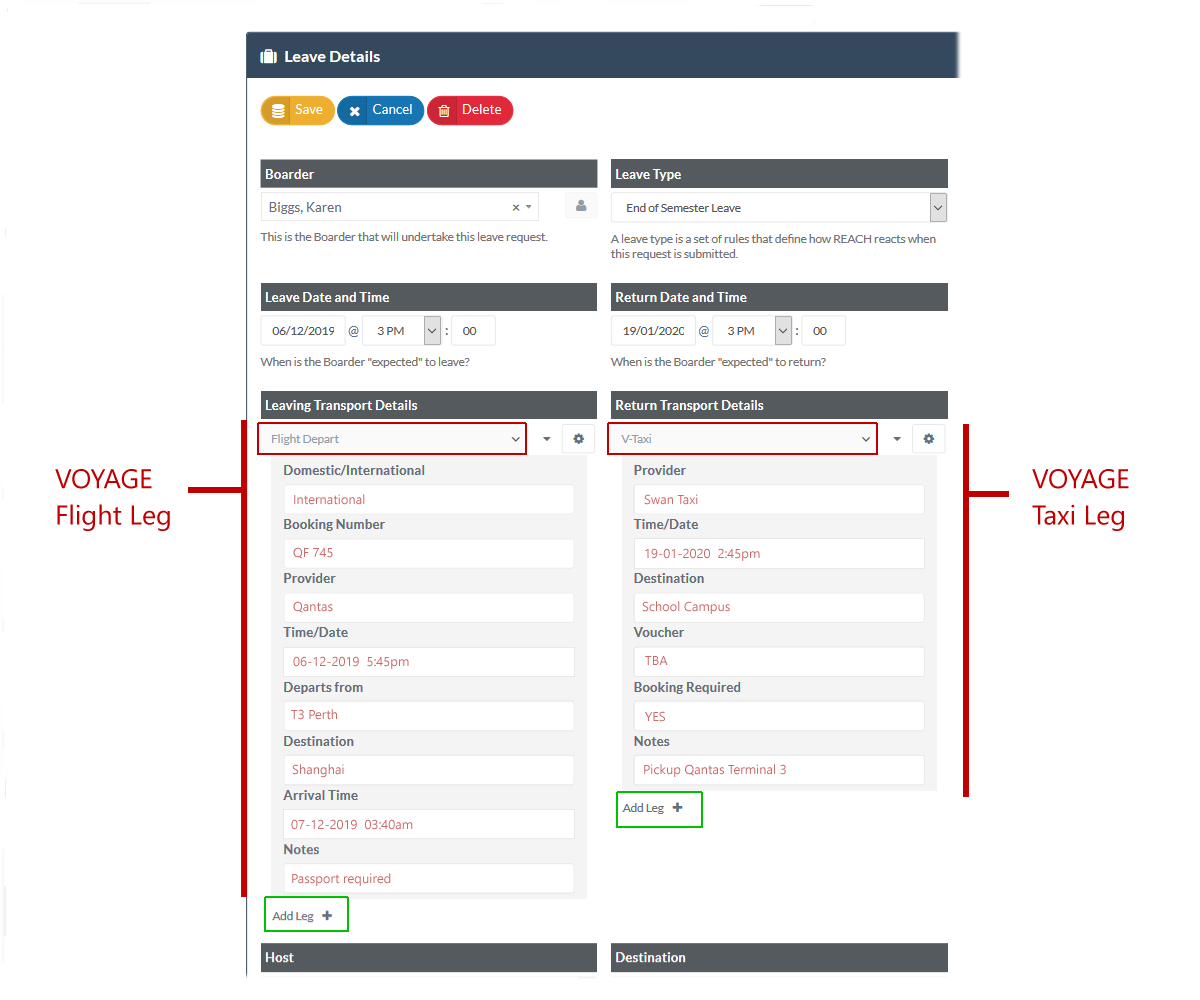
Leave Creation
When using Voyage, the Departure and Return Transport Type fields of the Leave Request Form will allow users to add multiple transport legs to their departure and arrival journeys. Each leg allows the user to select a transport type. Users can select either Standard transport types or Voyage transport types for each individual leg.
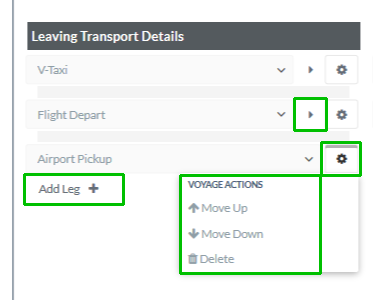
When a transport method is selected, an Options button will appear beside each transport leg that is selected to allow the user to move the item up or down the journey schedule or to delete the transport leg from the list of legs.
The Add Leg button allows you to add additional transport legs to a departure or return journey. A new transport (dropdown) selector is added allowing the user to select the transport method for the new leg.
If the transport type selected for a new leg is a Voyage transport type then the form displaying all of the required fields for that Voyage transport type will appear below the selector and users can then add the relevant details the transport type added. Any data that is added by the user will remain visible in the leave item details view and it will also become visible in the Transport Hub dashboard.
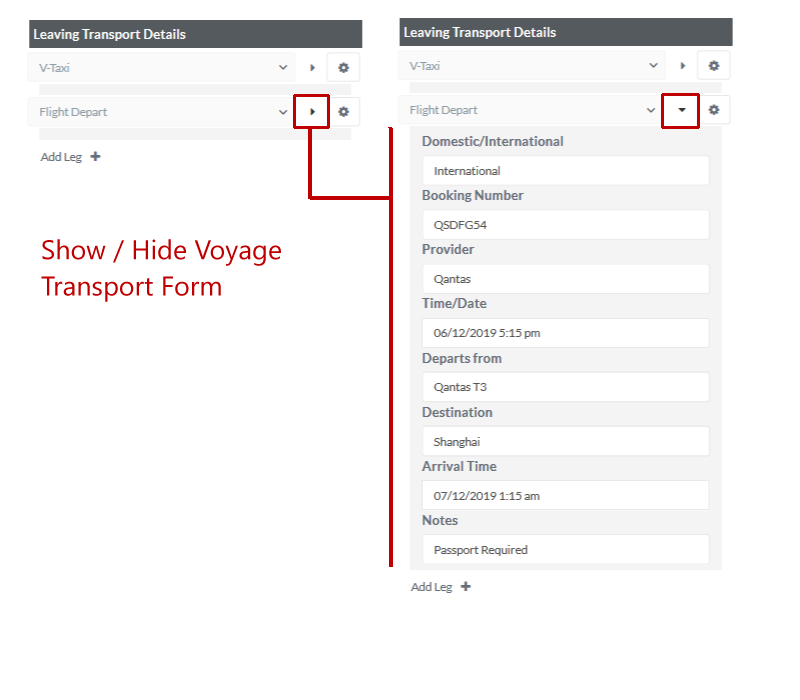
The Side arrow icon beside a Voyage transport type will open or close the form details from view.
Upon saving a leave request, the list of transport types, their order, and any information entered into voyage forms will save associated to the leave request.
When a transport type selector is changed to a transport type that has had a voyage form configured, but voyage has since turned off, the form will display, but the user will not be able to enter data for that form.