Transport Type Configuration
When the Voyage module is activated additional configuration settings will become available in your Transport Type configuration settings.
System Configuration > Transport Types
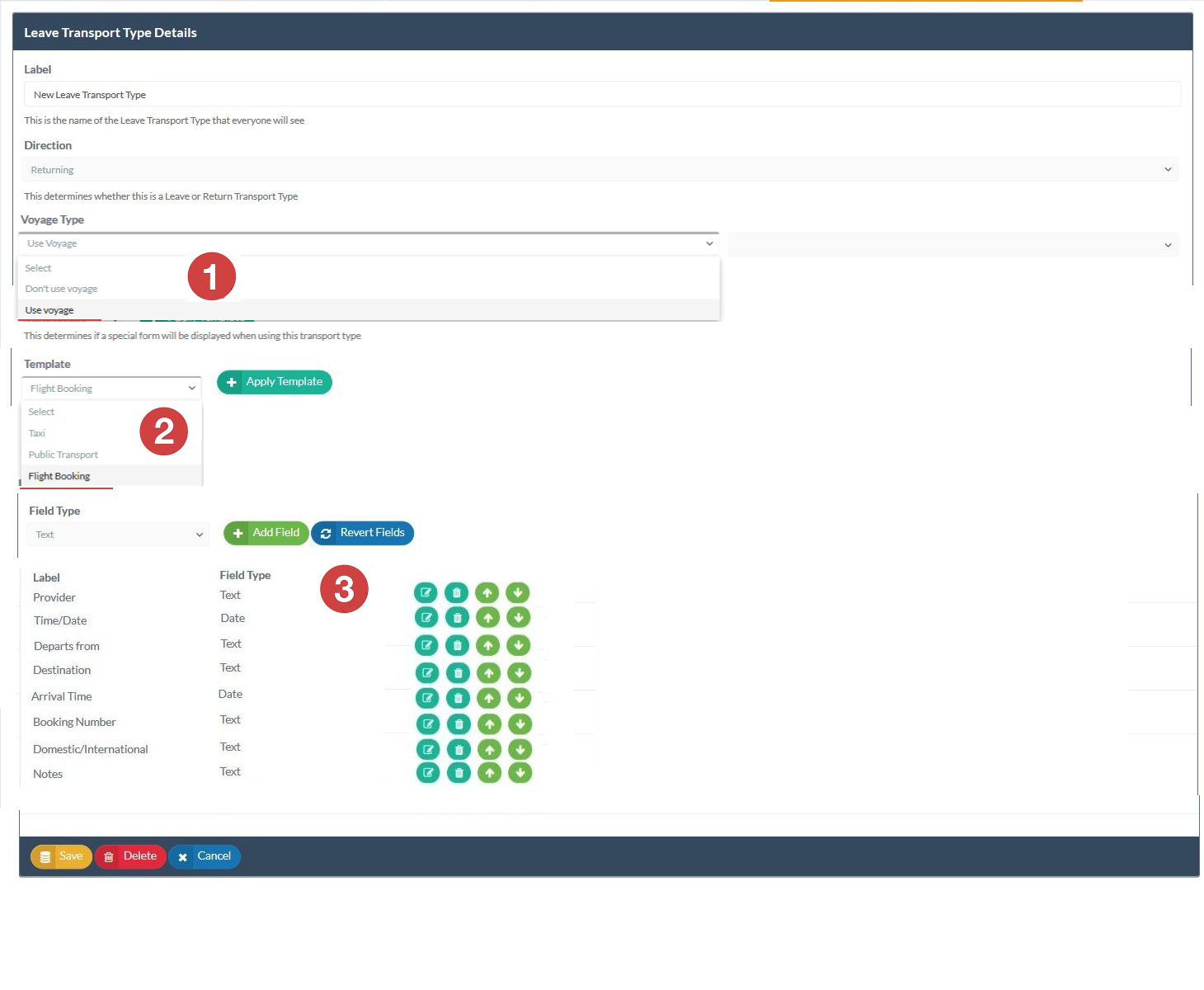
The configuration for individual Transport Types has a new property that can be selected called Uses Voyage. This property determines if the transport type will operate as a standard transport type or as a Voyage transport type.
Standard Transport Types have no special features. They are simply a label that is used to identify the method of transport being used for departure or return in student leave requests.
Voyage Transport Types allow you to collect additional data via a data collection form that as is associated with the Voyage Transport Type. The data collected in Voyage transport type forms can then be collated and displayed using the Transport Hub dashboard for viewing or easy exporting to spreadsheets or transport lists.
Configuring Voyage Transport Types



How to Add a new field to a Voyage transport type
-
Select the Field Type that you want to add. You can add Time/Date based fields or Text fields
-
Add the field type to the transport type profile
-
Open (edit) the field to give it a name or label
-
Once added to the transport type you can use the action icons to manage the field (edit, delete, move up, move down)
When a Voyage transport type is saved it will become available in the Leave Request form for users if it is set as one of the transport types that are permitted for any particular leave type.
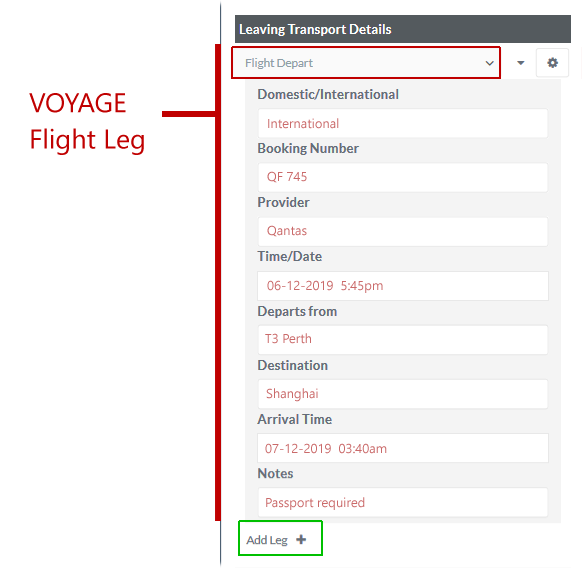
Sample image for Voyage Flight Leg