
The Report Scoring Matrix is your report marking dashboard.
Here you will be able to access a list of the reports that are currently open for marking and mark your students for the relevant questions for each section.
How to score or mark a report card
You can score student individually or in bulk by question or field item.

|
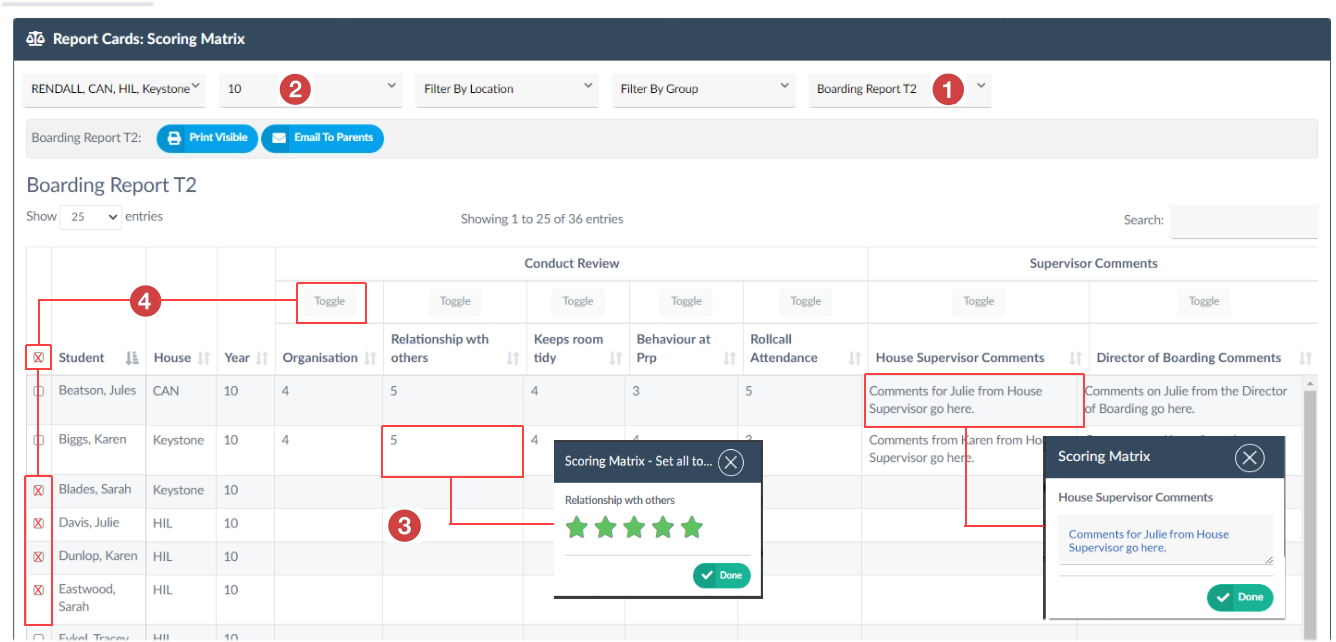
Select the Report that you want to score in the report selection field. |
|
|
Set the student population to reflect the students that you want to mark or display by using your filters (Year, House, Location, Group) |
|
|
Scoring a Single Field
|
|
|
Scoring in Bulk
|